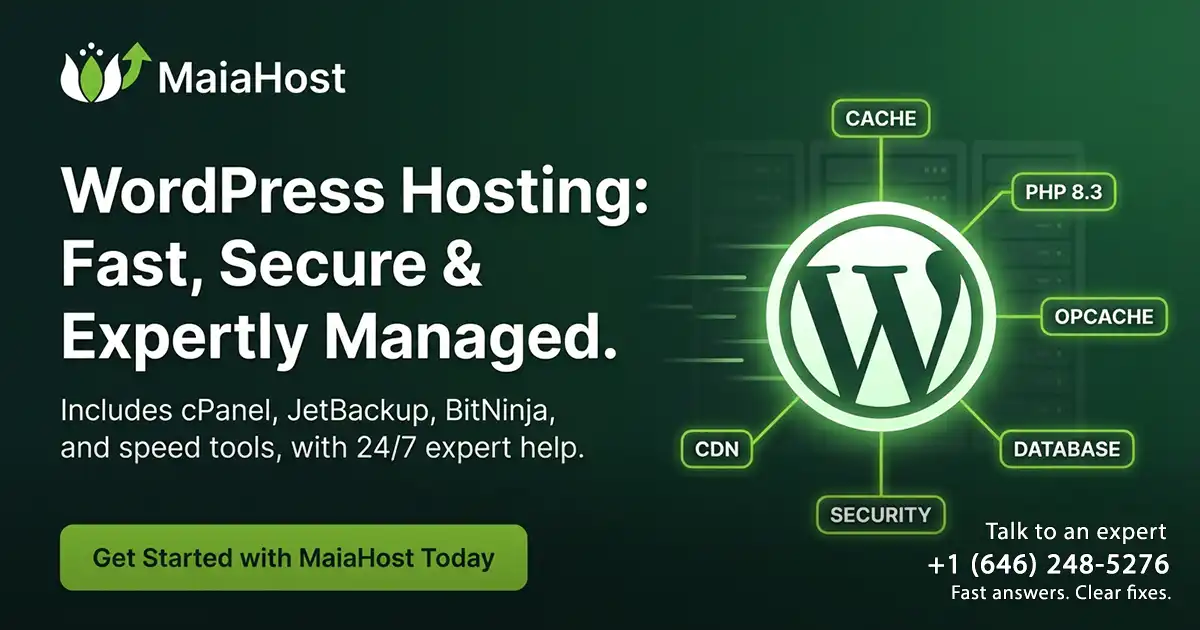
WordPress Hosting: What Makes It Different (and Which Plan You Need)
WordPress hosting is hosting built around how WordPress actually works: lots of PHP requests, a database-driven page build, plugins that can add heavy queries, and traffic spikes that punish slow backends. That’s why “any hosting” can run WordPress, but not every host runs WordPress well.
This guide explains what makes WordPress hosting different, how shared vs managed WordPress hosting vs VPS compare, and which plan you should pick based on your site (blog, business site, WooCommerce store, page builder, membership/LMS, or agency sites).
Along the way, we’ll also show you how MaiaHost specializes in WordPress Hosting—with plans designed for real-world WordPress performance and fast, expert support.
What “WordPress hosting” really means
At the technical level, WordPress needs PHP + a database + a web server with HTTPS. WordPress.org’s current recommendations (not just minimums) are:
- PHP 8.3+
- MySQL 8.0+ or MariaDB 10.6+
- HTTPS support
- A web server such as Nginx or Apache (plus rewrite support)
Most hosts can check those boxes. WordPress hosting goes further and focuses on the things that usually break WordPress sites in production:
- Caching layers that reduce how often WordPress/PHP must run
- PHP performance tuning (including OPcache, workers, and sensible limits)
- Database performance (queries, indexes, storage, and backups)
- Security hardening for WP’s plugin/theme ecosystem
- WordPress-aware support that can solve plugin conflicts, caching issues, cron/email problems, and migration edge cases
In plain language: WordPress hosting is the difference between “it loads” and “it stays fast and stable when traffic, plugins, and updates get real.”
Why WordPress performance depends on hosting (not just themes and plugins)
A WordPress page load usually involves:
- PHP executing WordPress core + theme + plugins
- Multiple database queries
- Building HTML and delivering assets (images, CSS, JS)
If your host can’t serve cached pages quickly—or can’t run enough PHP requests concurrently—your Time to First Byte (TTFB) rises, and the user sees slower loads.
That matters because user-perceived speed is captured by Core Web Vitals:
- LCP (Largest Contentful Paint): how fast the main content appears
- INP (Interaction to Next Paint): responsiveness to user interactions
- CLS (Cumulative Layout Shift): visual stability
WordPress hosting targets the backend contributors to these metrics (especially LCP and INP) by improving cache hit rate, PHP execution speed, and database latency.
The 5 things WordPress hosting should optimize
1) Page caching that actually matches your site
The biggest win for most WordPress sites is serving pages without running PHP on every request.
A solid WordPress hosting stack supports:
- Full-page caching for public pages (blogs, marketing pages, landing pages)
- Smart exclusions for dynamic pages (cart, checkout, account, logged-in dashboards)
- Cache purge controls when you publish, update, or change menus/widgets
Why it matters: if most visits are served from cache, your site can handle spikes without “melting.”
2) Fast PHP execution (and enough concurrency)
Even with caching, some requests still hit PHP: login, admin, WooCommerce checkout, search, and personalized content.
A good WordPress host tunes:
- PHP version (modern PHP is faster and safer)
- OPcache, which stores precompiled PHP bytecode so PHP doesn’t parse files every request
- Worker/concurrency limits so bursts don’t queue and time out
A useful mental model: if your site has 5 PHP “slots” and 50 users hit uncached pages at once, 45 wait in line. WordPress hosting should reduce uncached hits and provide enough headroom for the ones that remain.
3) Database performance (because WordPress is database-driven)
Plugin-heavy sites often slow down due to database load, not just PHP.
WordPress hosting typically focuses on:
- Keeping database latency low (storage/IO and configuration matter)
- Avoiding “noisy neighbors” issues that spike disk activity
- Backups that don’t lock or stall the database at peak
4) Object caching for dynamic and logged-in sites
Full-page caching helps public pages, but logged-in experiences can still be heavy.
For sites like WooCommerce, membership, LMS, and communities, a persistent object cache can reduce repeated database reads and speed up dynamic operations.
5) Security hardening (the WordPress reality)
WordPress is popular, and that attracts automated attacks.
WordPress hosting should include:
- Isolation between accounts/sites
- Malware scanning or proactive monitoring (varies by host)
- Brute-force and login protection
- Patch/update guidance (or managed updates, depending on plan)
Shared hosting vs managed WordPress hosting vs VPS
The “best” plan depends on your site type, risk tolerance, and how much you want to manage yourself.
Shared hosting (general)
Best for: small sites, brochures, low-traffic blogs, early-stage projects Tradeoffs: less guaranteed capacity at peak, fewer WordPress-specific optimizations (varies by provider)
Shared hosting can be great when it’s not oversold and the provider pays attention to performance and isolation. It becomes frustrating when CPU/IO is heavily throttled or support can’t help beyond “disable plugins.”
Managed WordPress hosting
Best for: businesses that want performance + reliability + WordPress-savvy support
Tradeoffs: sometimes less “server tinkering freedom,” and pricing can be higher
Managed WordPress hosting usually includes an environment designed for WordPress, plus performance and security features that reduce operational workload.
In practice, it’s the “I want my site fast, safe, and supported” option.
VPS (Virtual Private Server)
Best for: custom stacks, special server requirements, unusual extensions, very specific control needs Tradeoffs: you manage more (or pay for management), and performance depends on configuration and workload
A VPS can be excellent when you need control. But for typical WordPress sites, a VPS is not automatically faster than a well-tuned WordPress platform—especially if caching, PHP, and database settings aren’t optimized.
If you’re choosing VPS because “it sounds more powerful,” ask: Do I actually need server-level control, or do I need WordPress performance + support?
A quick sizing guide (traffic, WooCommerce, page builders)
Use this as a practical starting point.
If you have a simple business site or blog
Typical traits:
- Mostly public pages
- Few plugins
- Light forms
- Small to moderate traffic
What you need:
- Strong page caching
- Modern PHP
- Reliable backups
- Support that can help with plugin and DNS issues
A quality WordPress-optimized shared plan or entry managed WordPress plan is usually enough.
If you use a page builder (Elementor, Divi, WPBakery) or lots of plugins
Typical traits:
- Bigger pages (more CSS/JS)
- More database queries
- More chances of conflicts and slowdowns
What you need:
- Better PHP concurrency headroom
- Faster database performance
- Support that can identify slow plugins and caching misconfigurations
A managed WordPress plan (or higher resource tier) is usually the safer pick.
If you run WooCommerce
WooCommerce raises the bar because key pages must stay dynamic and secure:
- Cart/checkout/account pages can’t be fully cached
- Logged-in users create more uncached requests
- Extensions can add heavy database operations
WooCommerce’s own server recommendations include modern PHP/database plus a WordPress memory limit of 256 MB or greater.
What you need:
- Smart caching exclusions (cart/checkout)
- Solid PHP performance + concurrency
- Object caching (often beneficial at scale)
- Real support for plugin conflicts, payment issues, and performance tuning
If your store is small, you may start on a strong managed WordPress plan. If you’re doing heavy traffic, lots of products, or complex extensions, you’ll likely want a higher tier (semi-dedicated or custom).
If you run membership, LMS, or community features
Typical traits:
- Many logged-in users
- Dynamic dashboards
- Frequent database reads/writes
What you need:
- Higher PHP concurrency
- Persistent object cache support
- Careful plugin selection and tuning
This is usually beyond entry-level plans and benefits from higher-resource WordPress hosting.
If you manage multiple sites (agency or portfolio)
Typical traits:
- Many WP installs
- Multiple clients
- A need for fast support + predictability
What you need:
- Reliable resource allocation
- Easy scaling path (semi-dedicated or custom)
- Support that understands WordPress and can solve issues quickly
Must-have WordPress hosting features checklist
When comparing WordPress hosting providers, look for these.
Performance essentials
- Modern PHP (aim for WordPress-recommended versions, currently PHP 8.3+)
- OPcache enabled and properly sized
- Page caching with clear rules and exclusions
- HTTP/2 or newer protocol support (most modern stacks have this)
- A CDN option (especially if you serve global traffic)
Reliability and operations
- Automatic or on-demand backups (and clear restore policy)
- Monitoring and fast incident response
- Clear resource limits (no vague “unlimited” language)
- Straight answers about scaling paths
WordPress-specific support
- Help with plugin/theme conflicts
- Migration assistance (or at least a guided process)
- Performance debugging (slow queries, caching issues)
- Security remediation guidance
Security basics
- HTTPS by default
- Malware and intrusion awareness (varies by host)
- Account/site isolation
- Login protection and rate limiting
Where MaiaHost fits (WordPress Hosting is our specialty)
MaiaHost’s core offering is Managed WordPress Hosting, designed for business owners who want WordPress to be fast, stable, and supported by people who understand how WordPress breaks in the real world.
Here’s what makes MaiaHost different:
- WordPress-focused performance (optimized environment rather than “generic hosting”)
- Not oversold servers (more consistent speed under load)
- Fast expert support with direct phone access (no long hold times)
- Outstanding uptime track record (reliability matters for SEO, ads, and revenue)
- A team of experienced web developers and software engineers (we solve problems, not scripts)
Our shared WordPress hosting options
If you want WordPress hosting without overcomplicating it:
- Maia Single: ideal for 1 WordPress site
- Maia Multiple: ideal for up to 6 WordPress sites on one account
When you outgrow shared plans (WooCommerce growth, higher concurrency needs, many sites, heavy plugins), we also offer:
- Semi-Dedicated (for larger sites and agencies)
- Custom VPS/Cloud/Dedicated configurations (for special requirements)
If you tell us what you’re building (blog, business site, WooCommerce, LMS), we’ll recommend the plan that fits—and we’ll explain why in plain language.
Quick “which plan do I need?” decision helper
Choose a WordPress-optimized shared plan if:
- Your site is mostly public content
- You don’t have heavy ecommerce
- You want simple, affordable, reliable hosting
Choose managed WordPress hosting (or a higher tier) if:
- You use a page builder or many plugins
- Performance and SEO matter (they usually do)
- You want proactive help from WordPress-aware support
- You expect traffic spikes from campaigns or social
Choose semi-dedicated or custom if:
- WooCommerce is central to revenue
- You have lots of logged-in users
- You run multiple sites for clients
- You need predictable capacity at peak
Choose VPS only if:
- You need special server control or custom software
- You understand that tuning and maintenance are part of the deal (or you’re paying for management)
FAQs
Is WordPress hosting worth it?
If WordPress is important to your business, yes. The cost difference is often less than what you’ll spend in lost leads, lost sales, or developer hours when a generic host can’t keep your site fast and stable.
Is VPS always faster than WordPress hosting?
Not always. A VPS gives you control, but performance depends on configuration, caching strategy, and database tuning. Many WordPress hosting environments outperform “default VPS setups” because they’re tuned specifically for WordPress workloads.
What’s the minimum I should ask a host for?
Start with WordPress’s recommended stack (PHP 8.3+, MySQL 8.0+ or MariaDB 10.6+, HTTPS). For WooCommerce, pay attention to memory recommendations and dynamic caching needs.
How do I know if my WordPress site is struggling on hosting?
Common signs:
- Slow admin dashboard
- Random timeouts during traffic spikes
- Slow checkout or login
- Big TTFB even when images are optimized
- Your caching plugin “doesn’t help much”
A good host can help diagnose whether it’s caching, PHP concurrency, database load, or a plugin conflict.
Sources
- WordPress.org — Requirements: https://wordpress.org/about/requirements/
- WooCommerce — Server Requirements: https://woocommerce.com/document/server-requirements/
- web.dev — LCP and INP (Core Web Vitals context): https://web.dev/blog/lcp-and-inp-are-now-baseline-newly-available
- PHP Manual — OPcache introduction: https://www.php.net/manual/en/intro.opcache.php
- Pantheon — WordPress hosting features and performance constraints: https://pantheon.io/learning-center/hosting/wordpress-hosting-features
- WordPress.com — Managed WordPress hosting overview: https://wordpress.com/blog/2025/04/28/managed-wordpress-hosting/
- Servebolt — How hosting choices affect WordPress speed and security: https://servebolt.com/articles/web-hosting-and-wordpress-hosting/
- Learn WordPress — Site Health tool overview: https://learn.wordpress.org/tutorial/tools-site-health/
Talk to an expert and we’ll tell you the best setup for your project.
Explore plans or talk to us—no sales scripts, just practical advice from real engineers.